🙋 Residents
Announce: what your office tells you
What it is #
Plaazaa Announce is your office talking to its area on purpose: today's neighbourhood status, the office's own status, warnings and general announcements. A Space that uses Announce has an Announce tab and a Today in this area card at the very top of its Home page.
- Everyone who can see the Space can read it. Only members can press Got it and follow. Press Join first.
- It is not Pinned. Pinned keeps an ordinary post at the top of the Posts tab; Announce is a message the office writes for you.
- Times are Thai time.
- You only read and answer. Writing announcements is for office staff (see the other guides).
💡 Coming later: e-mail / LINE copies and a spoken version. They are not in the Space yet, so this guide does not describe them.
The Home card #
Open the Space and look at the top of Home. On a phone the card is one column; on a computer it has two.
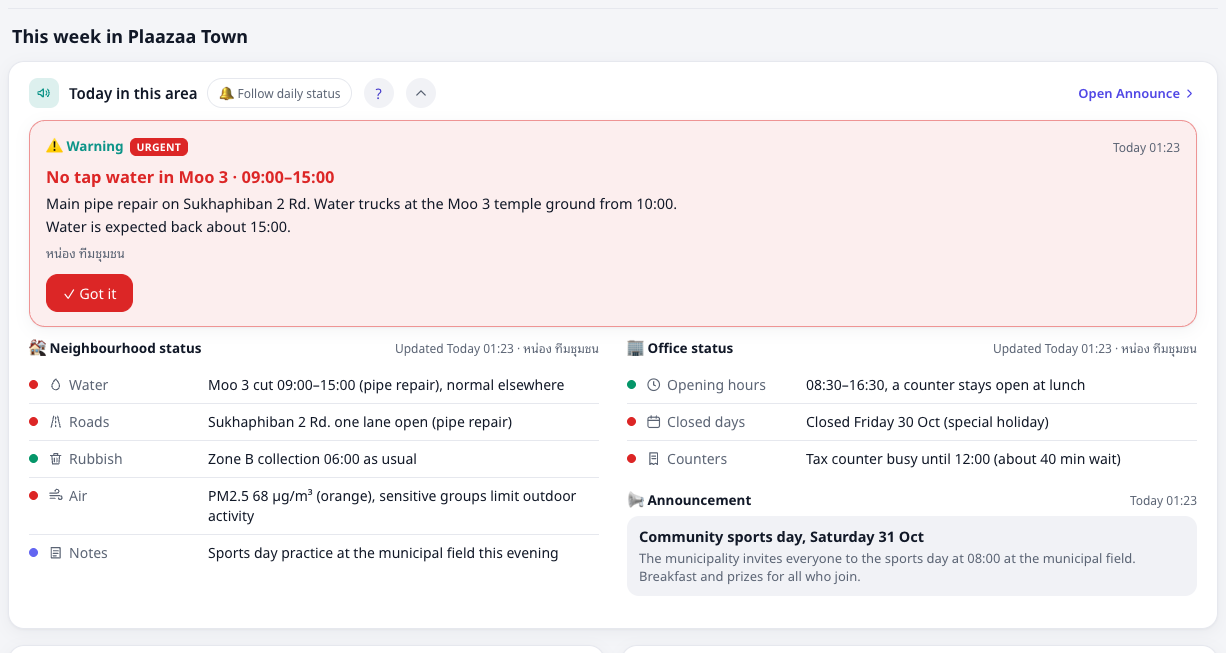
| Where | What you see |
|---|---|
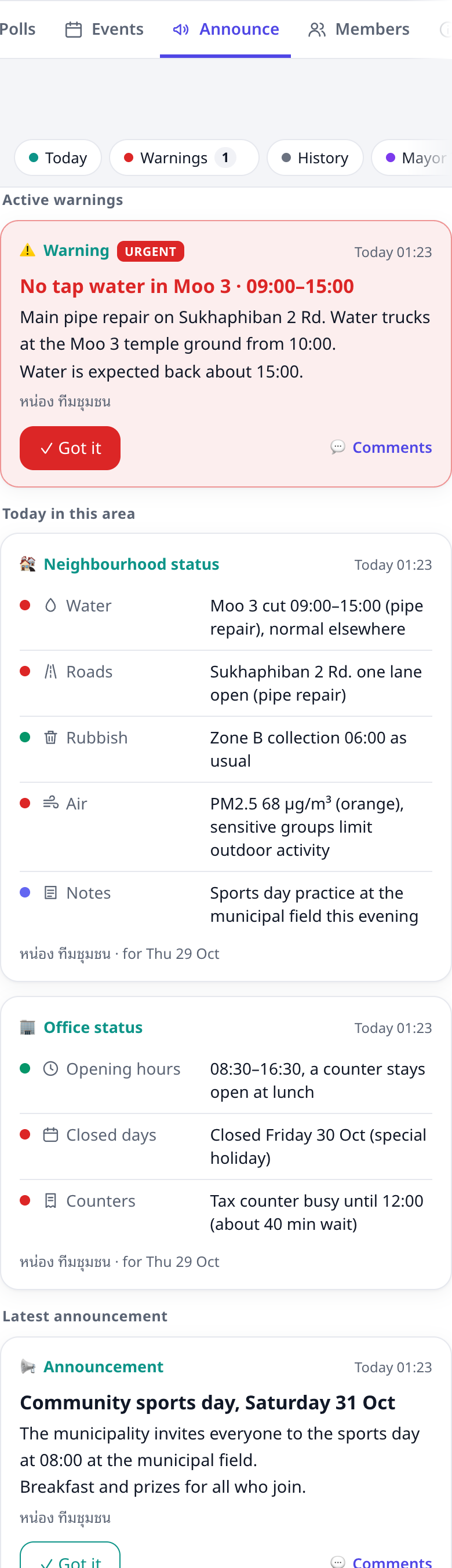
| Top strip | any warning that is still in effect (red when Urgent) |
| Left | the neighbourhood status: water, roads, rubbish, air, notes |
| Right | the office status (opening hours, closed days, busy counters) and the latest announcement |
A green dot means normal, a red dot means a problem, a purple dot is a note. Under each status you see when it was updated and by whom. If the office has not updated it today it says Not updated today and keeps the last status for you.
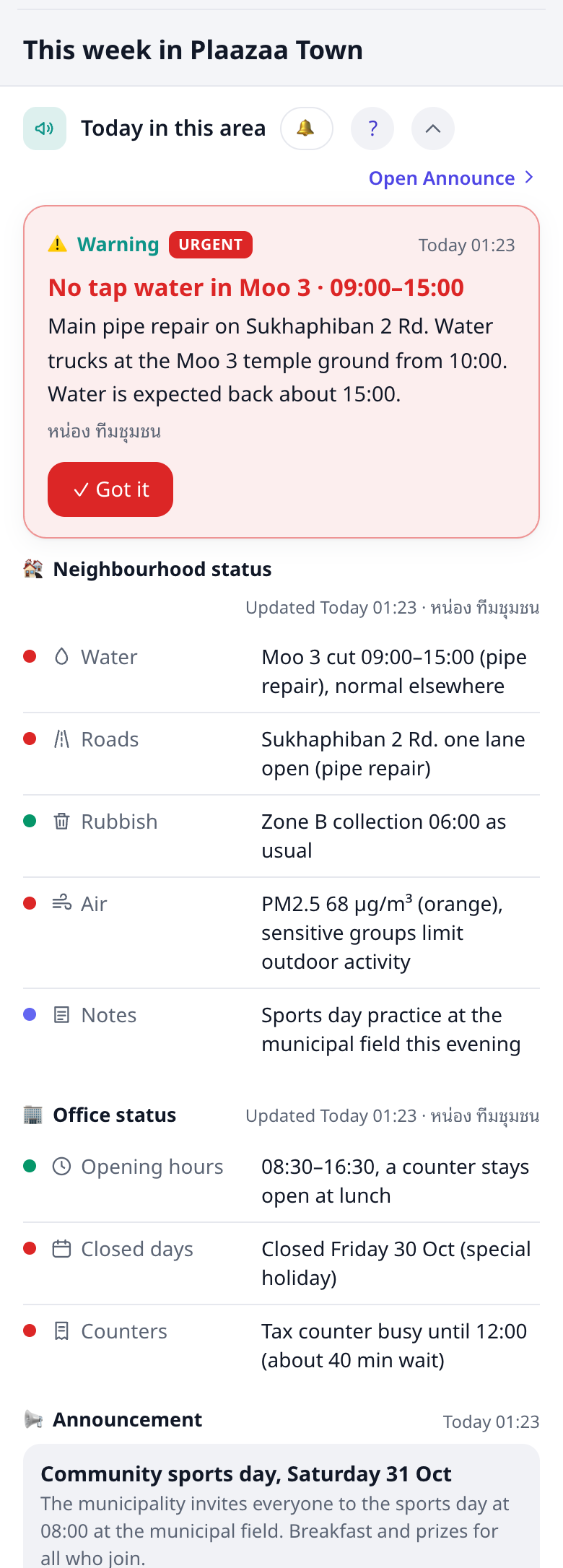
- The round ? button opens this guide.
- The 🔔 button follows the daily status (see below).
- The round ⌃ button folds the card to one line per kind. Press it again to open it. Your choice is remembered on that phone or computer.
Urgent warnings #
An Urgent warning shows a red banner at the top of the Space (Home and Posts) and notifies every member once.
- Read it, then press ✓ Got it.
- The banner shrinks to one line for you. Others who have not pressed it still see the full banner.
- When the office marks the warning over, the banner goes away.
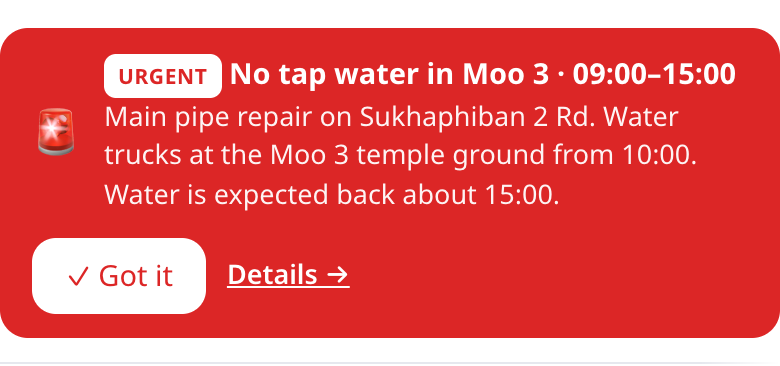

💡 Important warnings notify every member too, but show only in the card, not as a banner. Info shows on Home only and sends no notification. Got it is on Urgent and Important warnings, and, quietly, on general announcements.
The Announce tab #
| Chip | Shows |
|---|---|
| Today | active warnings, today's statuses, the latest announcement |
| Warnings | every warning, those still in effect first |
| History | everything published before, by day |
| Mayor Talk | messages from the mayor |
The small icons after the chips (🏘 🏢 ⚠️ 📢) filter by kind. 🔍 searches. The ? in the tab menu opens this guide.
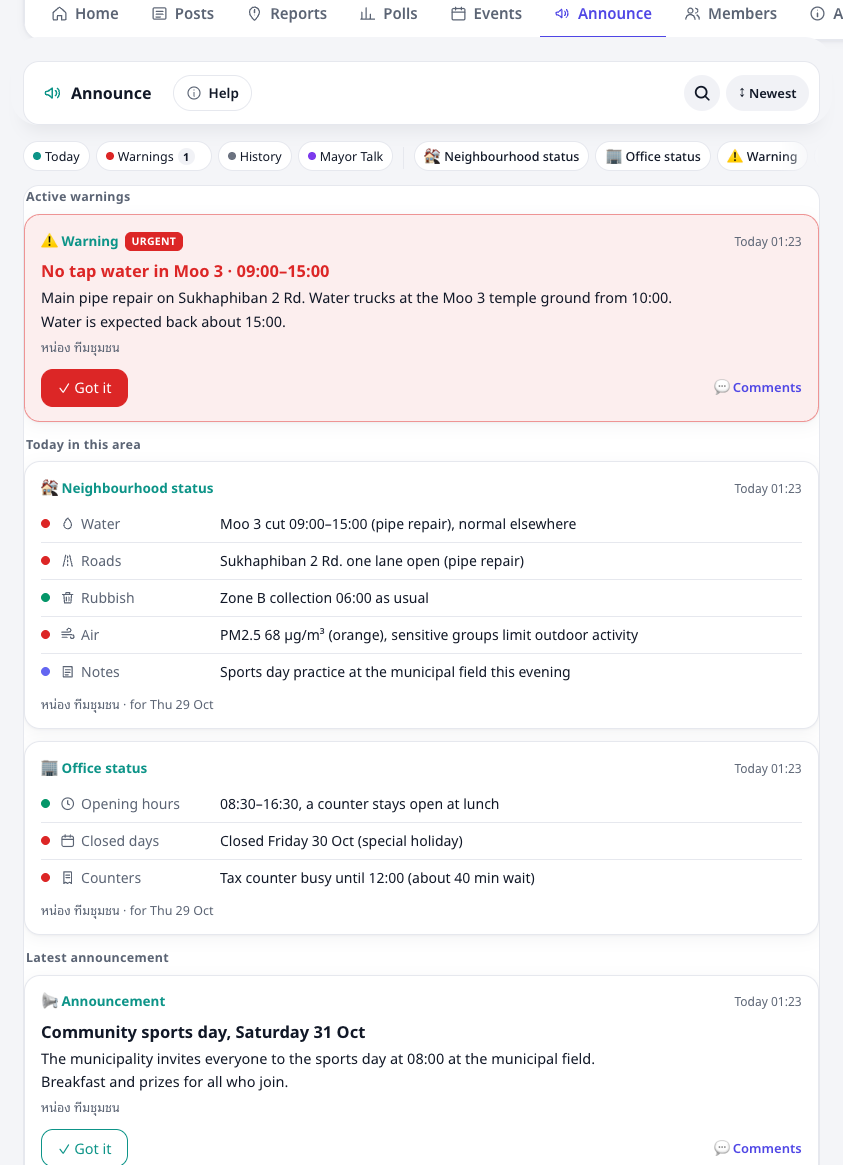
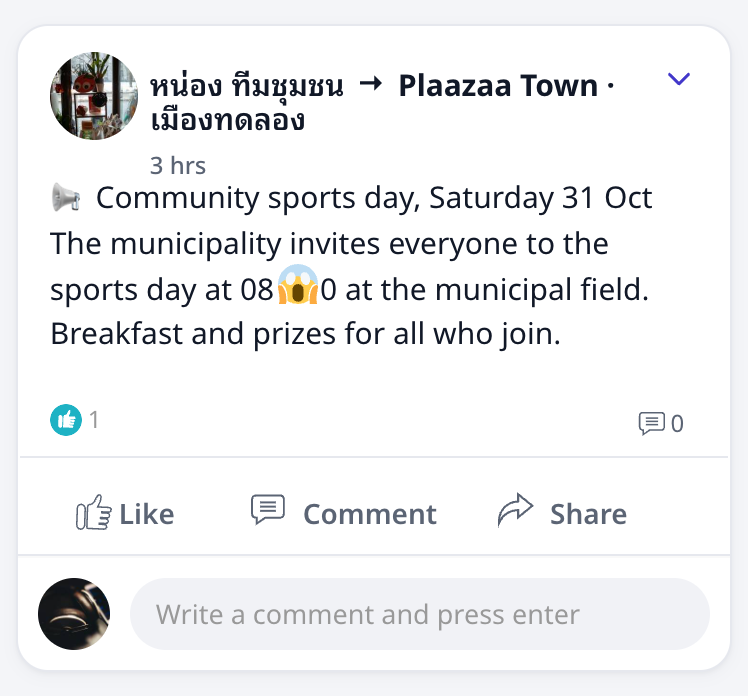
Warnings and general announcements also appear in the Space's Posts feed, so you can comment and react there. The daily status stays in Announce and on Home only.
Mayor Talk #
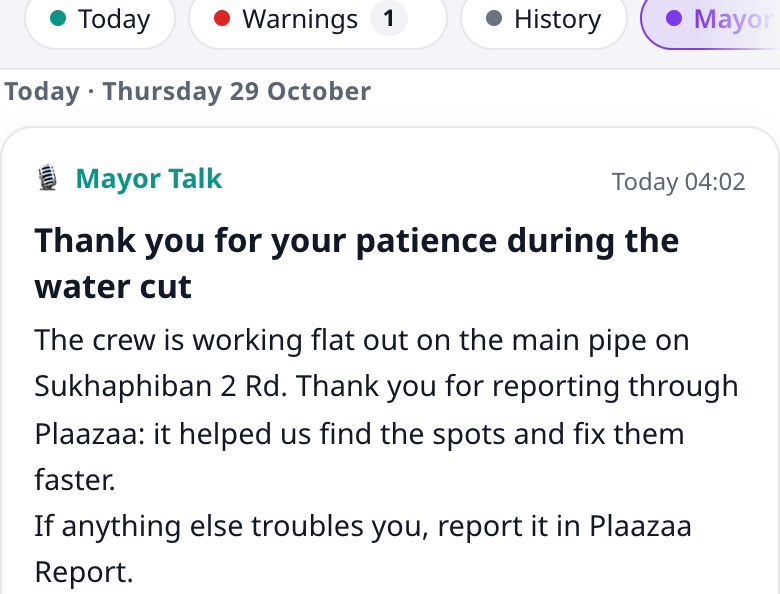
A message from the mayor or executive to the residents. The office may write it for the mayor, but the mayor approves it first. Until then it is not public. After approval it shows as Mayor · sent by the office.
A mayor with their own account may also post directly, in their own name. Nothing is ever sent in the mayor's name without the mayor's approval. More for the mayor's office in the Mayor guide.
Follow the daily status #
Press 🔔 Follow daily status in the Announce tab (or on the Home card) to get a notification each time the neighbourhood or office status is published. Press it again to stop.
Important and Urgent announcements always notify you, followed or not. Info never notifies; it is only on Home.
The AI label and other languages #
Some announcements are written with Plaazaa AI from the office's own data (weather, reports, events). They carry ✨ Drafted by AI · checked by
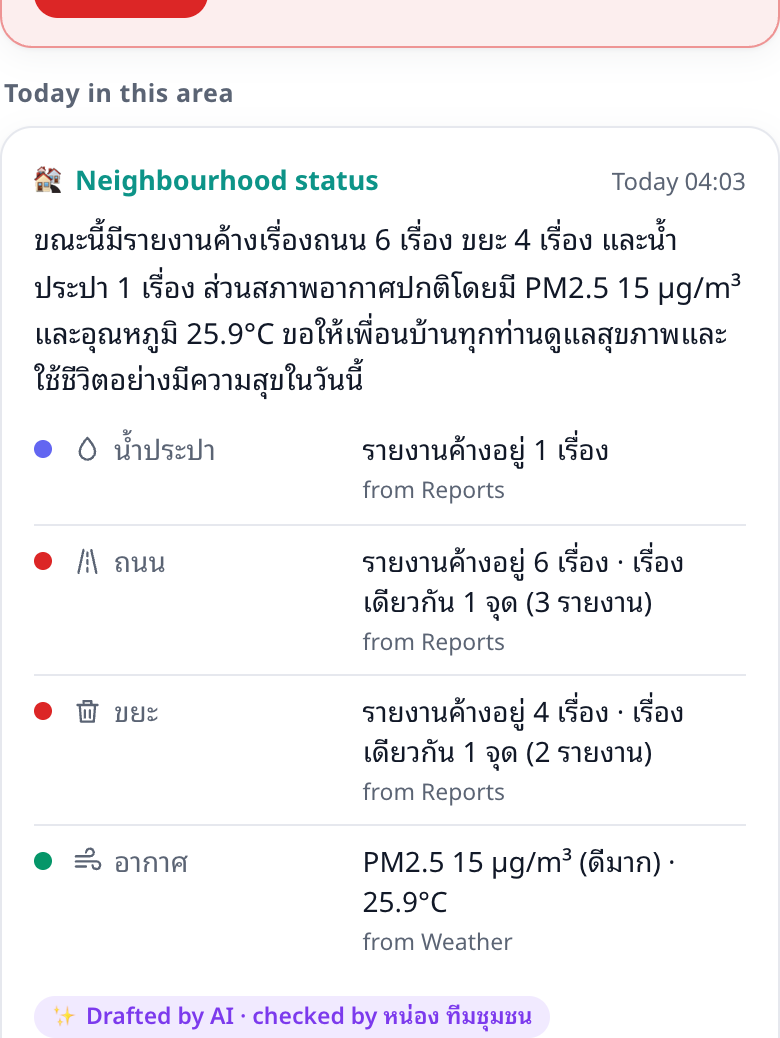
If you read another language, a 🌐 Translation may appear under the announcement.
Example: a water cut in Moo 3 #
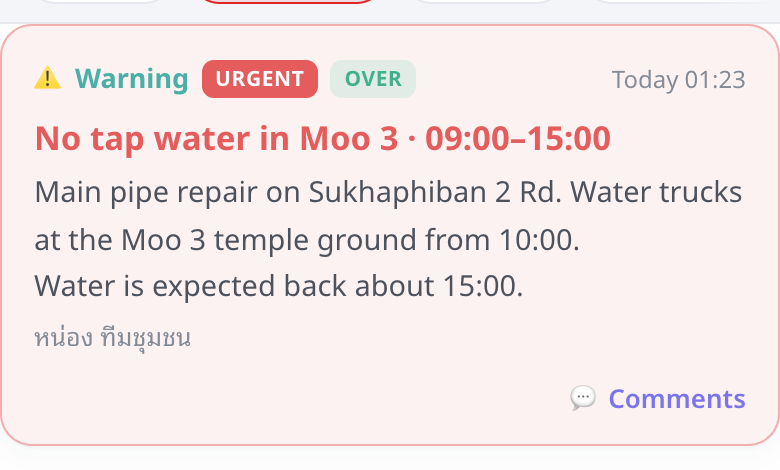
The office announces that tap water will be off in Moo 3 from 09:00 to 15:00.
- You get a notification: "🚨
: No tap water in Moo 3 · 09:00–15:00". - Open the Space: a red banner is at the top, and the same warning is first on the Home card (Moo 3, repair on Sukhaphiban 2 Rd., water trucks from 10:00, back about 15:00).
- You press ✓ Got it. The banner becomes one line. The office now counts you in "N acknowledged".
- At 15:00 the water is back and the office marks the warning over. The banner and the Home card entry go away; in Warnings and History the warning stays with the Over badge.
Example: sports day #
The office announces a community sports day on Saturday. It is a general announcement: it shows as Latest announcement on Home and as a post in the Space's Posts feed.
- Tap Details or Comments on the announcement. It opens as a post.
- React or comment ("Can children under 5 join?"). Comments are open on general announcements unless the office switched them off.
- Press the quiet ✓ Got it if you want the office to know you read it.
Example: Mayor Talk #
The mayor thanks residents for their patience after the water cut. Office staff wrote it, the mayor approved it, and you see it in the Mayor Talk chip, labelled Mayor · sent by the office. You cannot comment on it. If it is not approved, you see nothing at all.
📍 My area #
If the office sends announcements to areas (หมู่, zones), the Announce tab has a 📍 My area button. Tap it, tick your area(s), and save.
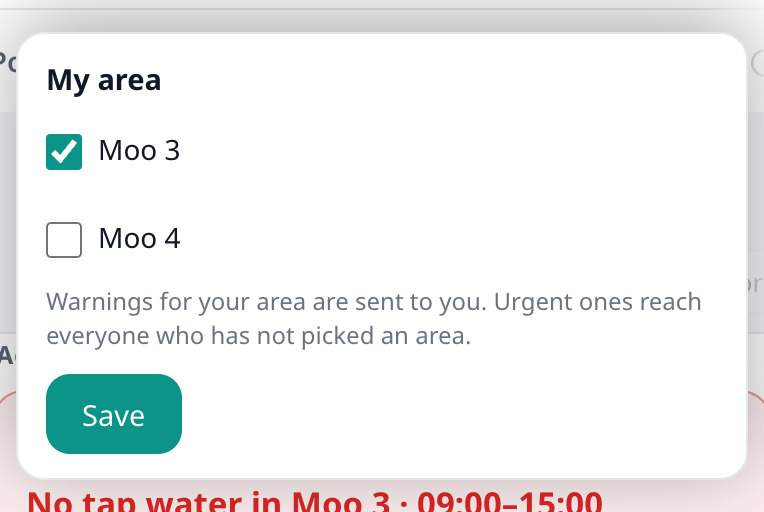
- You still see every announcement; the ones for an area show an area chip, and yours is highlighted.
- Announcements for your area come first on Home and in Today.
- You get notifications for warnings in your area. If you picked no area, you only get Urgent ones.
- You can change it any time. Nobody else sees which area you picked.
🗂 The archive #
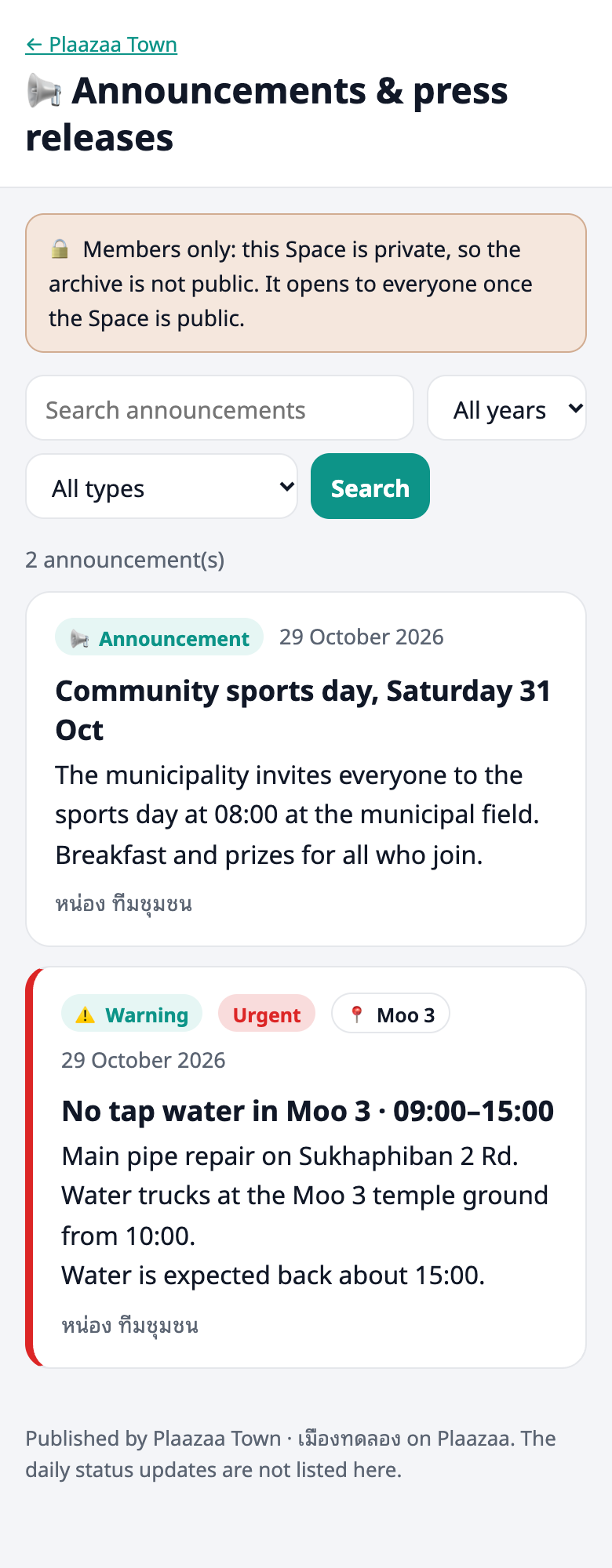
The Announce tab menu (⋯) has Archive: the office's published warnings, announcements and Mayor Talk, with search and year / type filters. The daily status is not listed. In a public Space anyone can read it; in a private Space only members can.
Who sees what #
| Residents (members) | Office staff who draft | Managers and the mayor | |
|---|---|---|---|
| Published warnings, daily and office status, announcements, Mayor Talk | yes | yes | yes |
| Drafts and Mayor Talk waiting for approval | no | only their own | yes |
| The ✨ AI label | yes, public | yes | yes |
| "Seen by N of M" and "N acknowledged" | no | no | numbers only, no names |
| Whether you follow the daily status | only you | only you | the number of followers only |
Your own Got it is counted, not shown with your name. Staff who open an announcement are not counted as residents.
Questions #
Why didn't I get a notification for the daily status? The daily neighbourhood and office status is opt-in: press 🔔 Follow daily status first. Only Important and Urgent announcements notify every member. Info announcements never notify.
What does "ร่างด้วย AI · ตรวจโดย …" (Drafted by AI · checked by …) mean? Plaazaa AI wrote the first draft from the office's own weather, reports and events data, and the named person checked it and sent it. The label is public. Nothing is sent without a person, unless the office switched on automatic publishing; then it says "checked automatically".
The warning is over, but it still shows. Reload the page. When the office marks a warning over (or its end time passes) the banner and the Home entry go away. The warning stays in Warnings and History with the Over badge, and the feed post stays in Posts. If it still shows on Home after a reload, tell the office.
Can I comment? On warnings and general announcements: yes, in the Posts feed (unless the office switched comments off for that one). On the daily status, the office status and Mayor Talk: no.
Why is a status "Not updated today"? The office has not posted today. We keep the last status for you instead of hiding it, with its time.
Can I get announcements for my area only? Not yet. Every announcement is for the whole Space.
Can I announce something? No. Residents read, press Got it and follow. To tell the office something, use Plaazaa Report or write in the Space.
Why does the banner not come back after Got it? It shrinks to one line for you; it is not hidden. It goes only when the warning is over.
Something is not working #
| What you see | What to do |
|---|---|
| No Announce tab or Home card | This Space does not use Announce yet. Ask the office. |
| No Got it or Follow button | Join the Space first (members only). |
| "Join the Space first." | Open the Space and press Join. |
| "Nothing announced yet today." | The office has not posted today. The last status stays on Home. |
| A warning still on Home after it ended | Reload. If it stays, tell the office. |
| You did not get a notification | Daily statuses notify followers only. Check 🔔 and your site notification settings. |
| "Something went wrong. Try again." | Check your internet and press the button again. |