🌐 이 페이지는 아직 번역되지 않았어요 — 영어로 보여 드려요.
🙋 멤버 가이드
Convoy — member guide
Joining from an invite link #
A link from a friend (it ends with ?r= and a 4-character code) opens a Join screen, not the Start screen:
- It shows You are invited, the host's name and how many people are in, the code as a heading, and one big Join CODE button.
- Type a name (or, if you are signed in to Plaazaa, there is nothing to type: the screen says Joining as your name) and pick an emoji, then tap Join.
- Wrong code? Change brings back the code box. Not this convoy? Start your own opens the normal Start screen.
- If the convoy has ended, or the code was typed wrong, you see This convoy has ended with Start your own convoy as the main button and Enter another code underneath.
The four tabs #
- Map — everyone's pin with a colour ring, your distance and ETA, the latest message in one row (tap it to open the chat), ◎ to follow you, 🏁 destination, 📍 Moments and safety buttons.
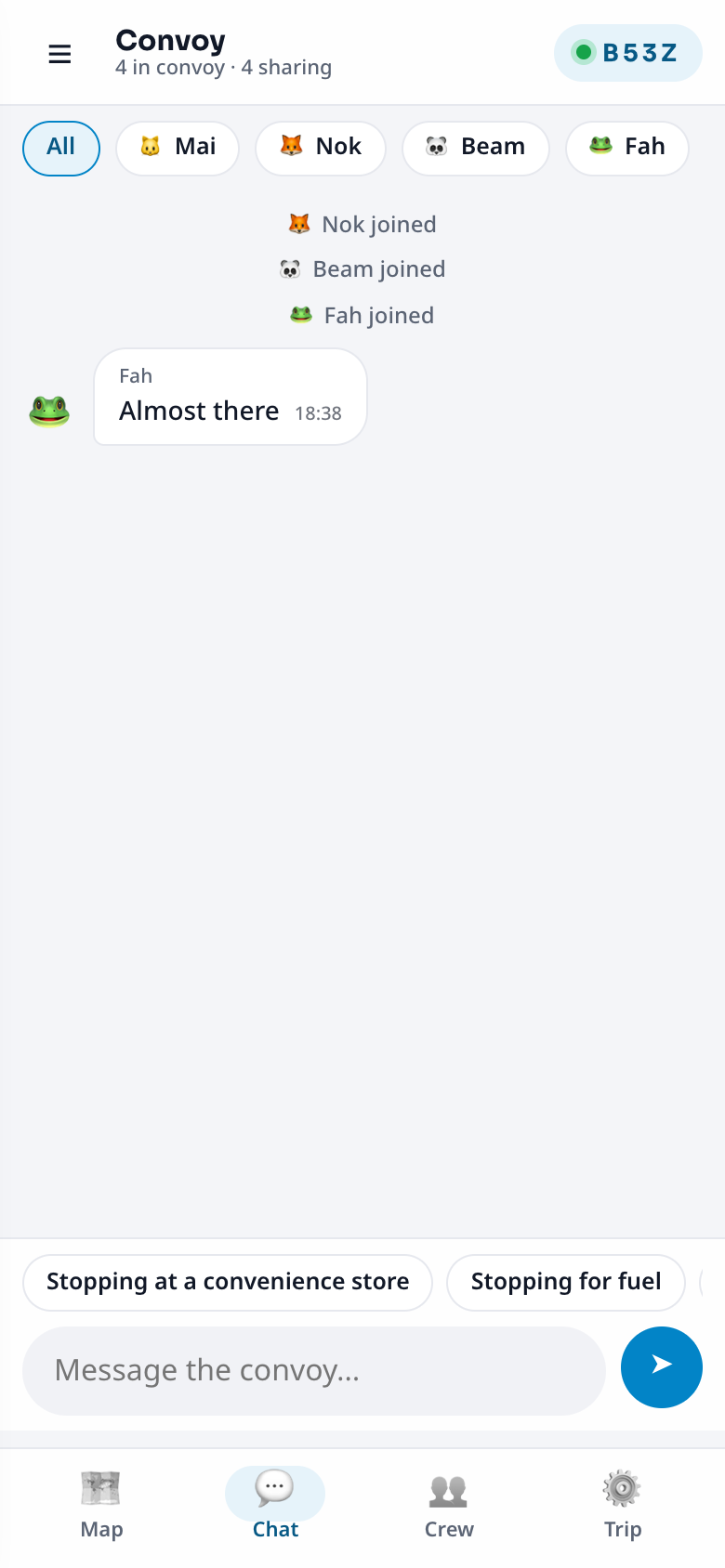
- Chat — quick phrases or your own text (up to 200 characters). Tap a name to read only that friend's messages. A badge counts unread messages.
- Crew — each friend's status (sharing · stopped · hidden · last seen), distance, ETA and who is ahead.
- Trip — invite code, destination, switches (share, alerts, driving mode), vehicle, Leave.
Your pin and Hide #
Tap Share my position to show your pin; your phone asks once. Hide (the same bar) removes your pin everywhere at once and deletes your last position on the server. Show again whenever you want. Sharing works only while the app is open; when the screen is off friends see a faded "last seen 5m" pin, and the app reconnects by itself when you unlock.
Your emoji #
On the start card you see two rows of emoji. Tap one, or tap ⋯ (or the emoji next to your name) for the full picker: Animals, Faces, Nature, Food, Travel and Fun. 🎲 picks a random one. Your recent picks come first and are remembered for every Plaazaa app.
In a convoy nobody shares an emoji. If yours is already taken you are given the nearest free one, and a message tells you which. When you join with a code, emoji that are already used are left out of the quick picks and shown dimmed in the picker.
Your vehicle #
Trip → My vehicle: car, motorbike, bike, walking or boat. Friends see a small badge and your ETA uses a sensible speed.
Chat #
Tap a quick phrase ("Stopping for fuel", "Almost there", "🏁 Arrived") or write. Your phrases show to each friend in their language. 💬 on the map switches between messages popping up for 6 seconds and pinned messages that stay on the pin for 10 minutes.
Moments #
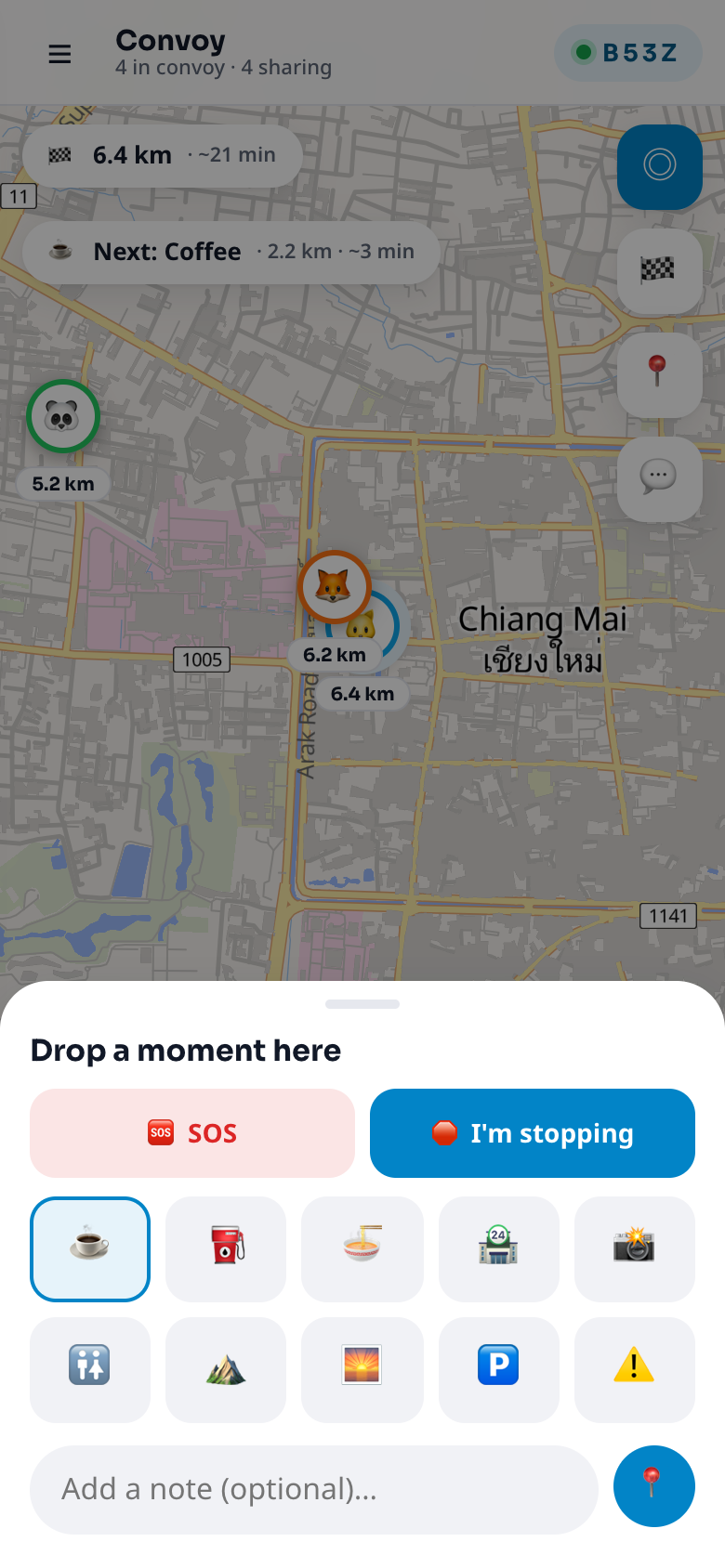
Tap 📍 on the map to drop a pin where you are: ☕ coffee · ⛽ fuel · 🍜 food · 🏪 shop · 📸 view · 🚻 toilet · ⛰️ · 🌅 · 🅿️ parking · ⚠️ warning, with an optional note. Everyone sees it; tap a pin to navigate. You or the host can remove it.
Safety buttons #
- 🛑 I'm stopping (📍 → I'm stopping): friends see 🛑 on you so nobody turns back. It clears when you tap Back on the road or drive on.
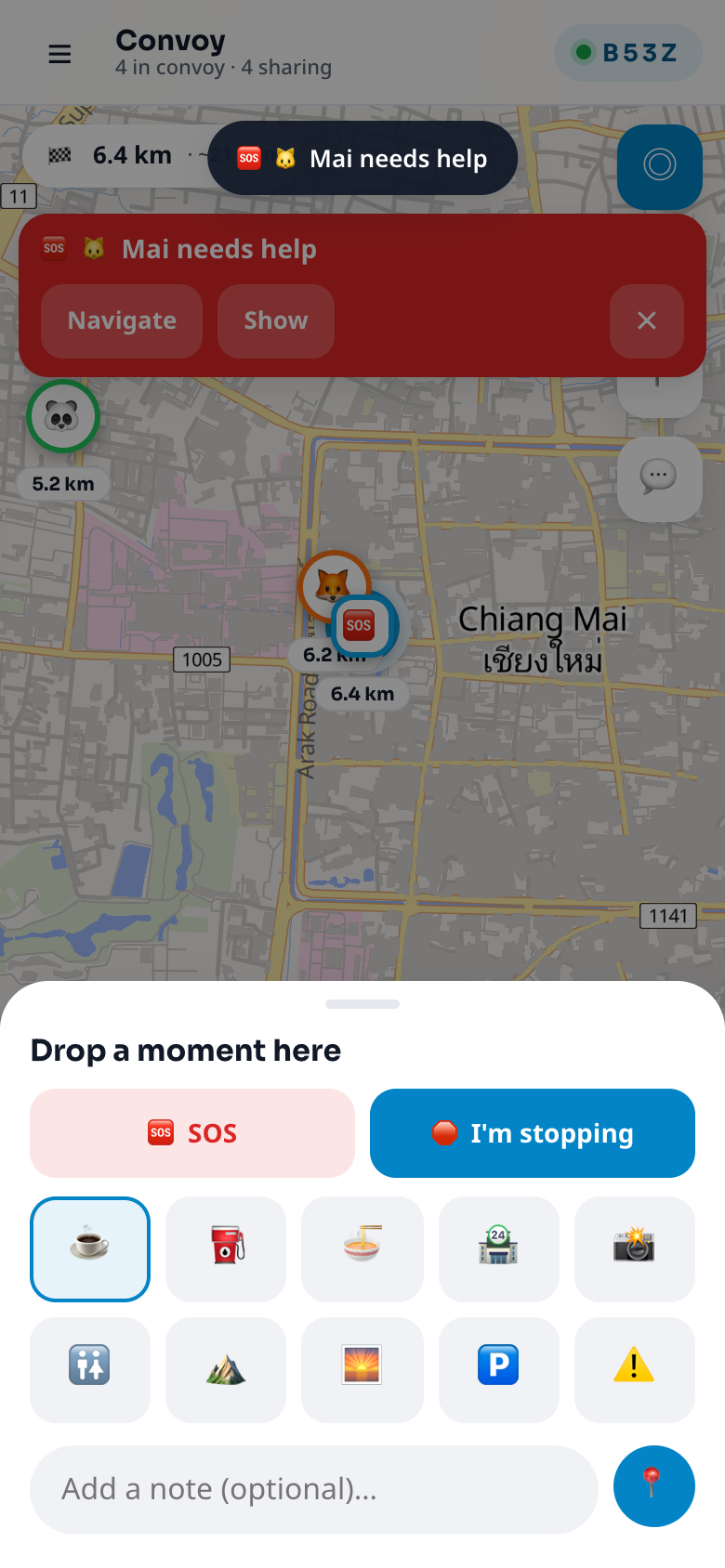
- 🆘 SOS (📍 → SOS, tap again to confirm): everyone gets a red bar with your name, a 🆘 pin and Navigate buttons. It needs your position to be shared. One every 20 seconds.
- Stopped chips: a friend who stays in one place for about 3 minutes shows "⏸ Stopped 4 min".
- Fall-behind alert: one line when someone is too far behind the front.
Driving mode #
☰ menu or Trip → Driving. Bigger buttons, new messages and alerts read aloud (the page must stay open), typing locked above 20 km/h (quick phrases still work). Passengers switch on I'm a passenger to turn the lock and the reading off.
The map follows you #
◎ works like the my-location button of a map app: outline = free · filled = follows you and keeps your zoom · 👥 = shows everyone. Dragging the map leaves follow mode; pinching keeps following at the new zoom.
Language and theme #
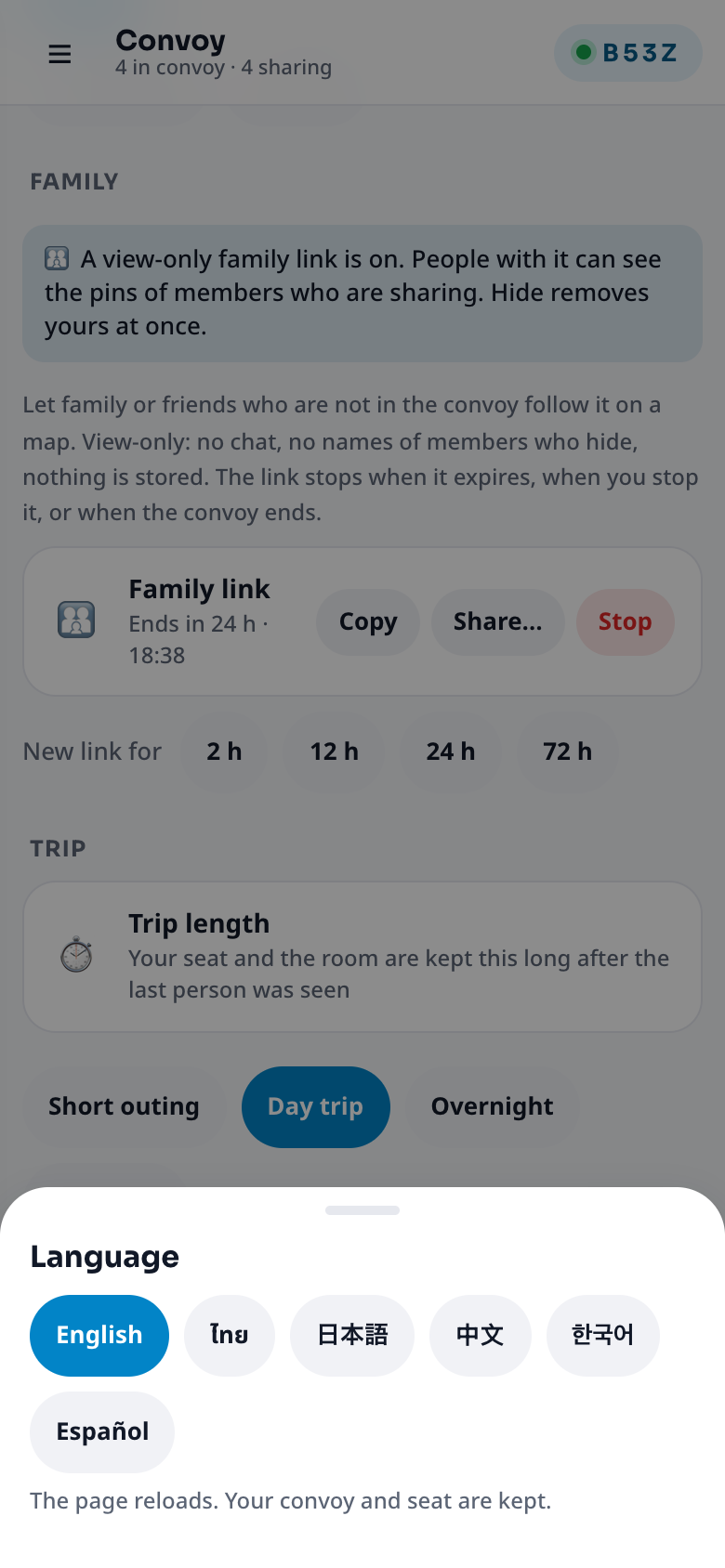
☰ menu → Language: English, ไทย, 日本語, 中文, 한국어, Español. Your choice is remembered. Theme: auto, light or dark.
Joining an event convoy #
If the organizer started a convoy for an event you replied Going or Maybe to, the event card shows 🚗 Convoy (from 6 hours before the start). Tap it: you join with your Plaazaa name and the destination is already the event's place. If it says "not started yet", the organizer has not opened it; try again soon. Everything else works like any convoy, and Hide still removes your pin at once.
Groups #
In a big event convoy the host may split people into groups (for example by bus). Pick yours in Trip → My group. In Crew use the chips to see one group; the map then shows that group and you.
Leaving #
Trip → Leave takes you out and your pin disappears. If you only lose signal or lock the phone, do not leave: your seat is kept for the whole trip length and you rejoin by yourself.